Linking/unlinking your edge node
Learn how to link or unlink your license to your Edge Node
Linking/Unlinking your Edge Node
What this covers
- What must be ready before linking
- Why a linked license is required for network participation
- How to link a license to your node ETH address in the app
- How to change the linked node ETH address in the app
- How to unlink a node from a license in the app
Before you link
Before linking a license, make sure you:
- Installed and started an Edge Node.
- Have the node's ETH address available.
- Own a Ratio1 license in your wallet.
Install guide:
Why linking is required
A running node is not enough by itself.
For a node to be allowed to participate in the Ratio1 network, it must have a
License linked to its ETH address.
Link your license to your node
- Open
app.ratio1.aiand connect the wallet that owns your license. - Go to Licenses & Nodes.
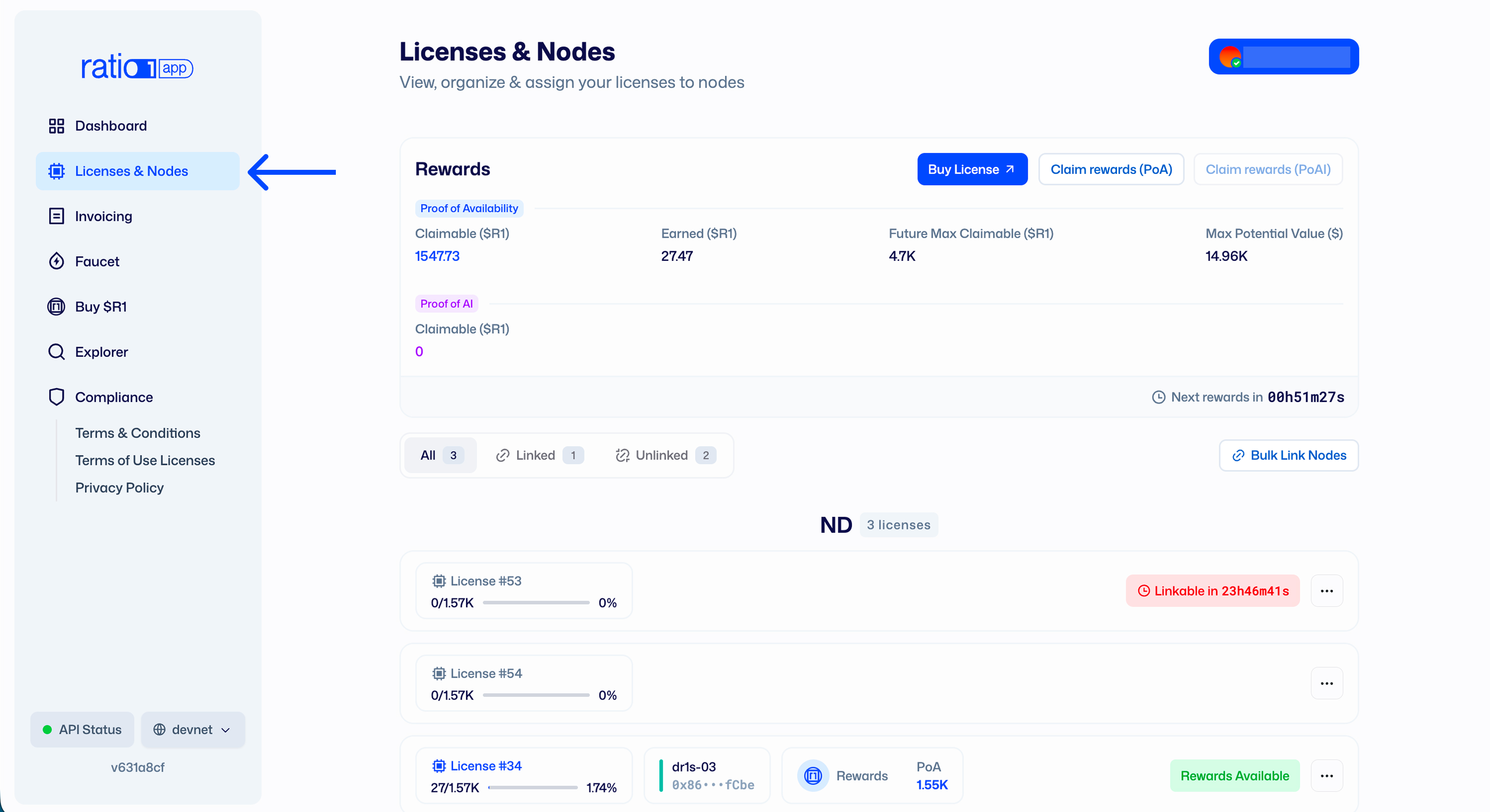
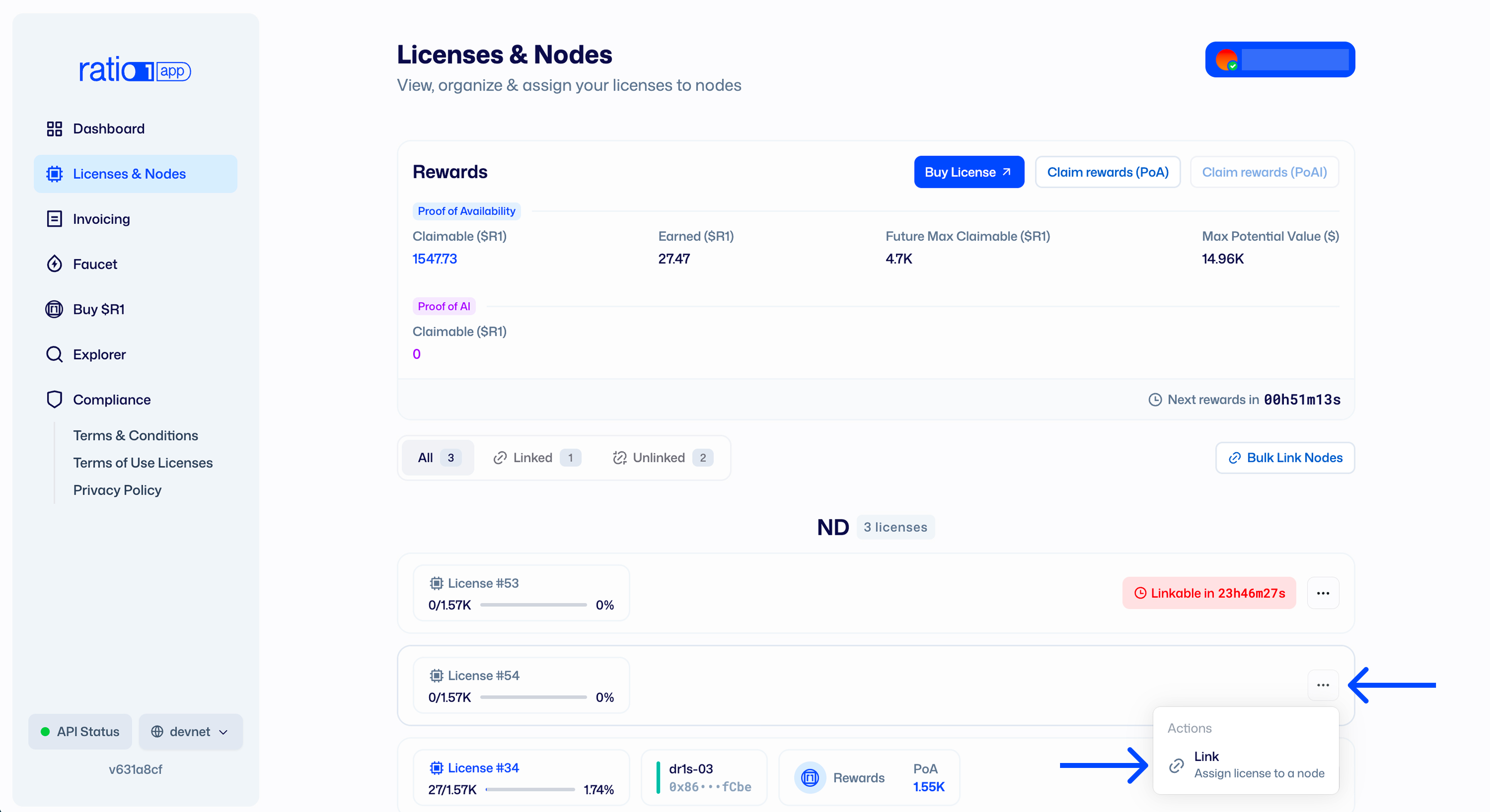
- Find the license you want to use.
- Open the license menu and select Link.
- Paste the node's ETH address.

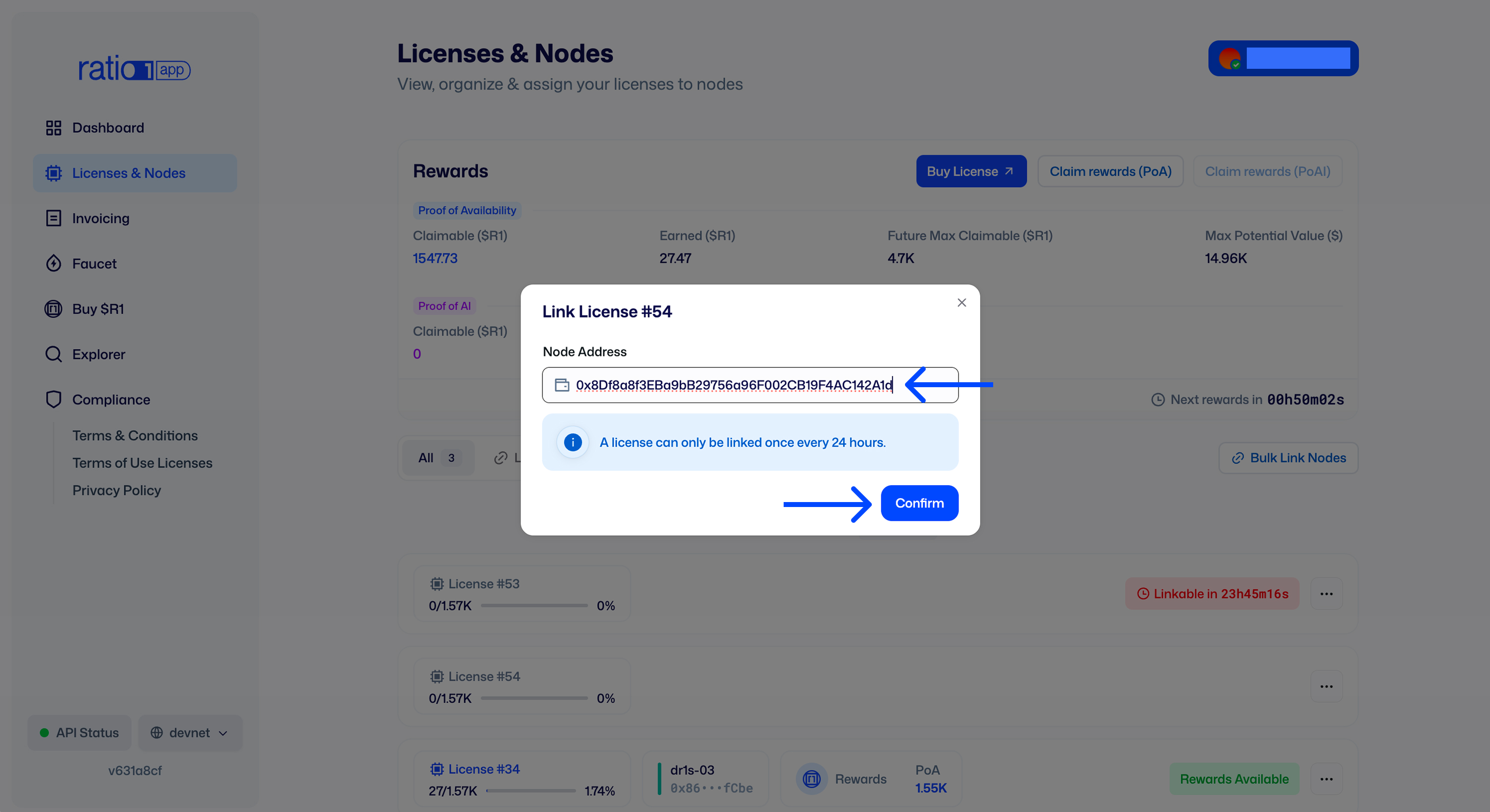
- Confirm and sign the transaction in your wallet.
After the transaction is confirmed, that license is linked to the node address
you provided. 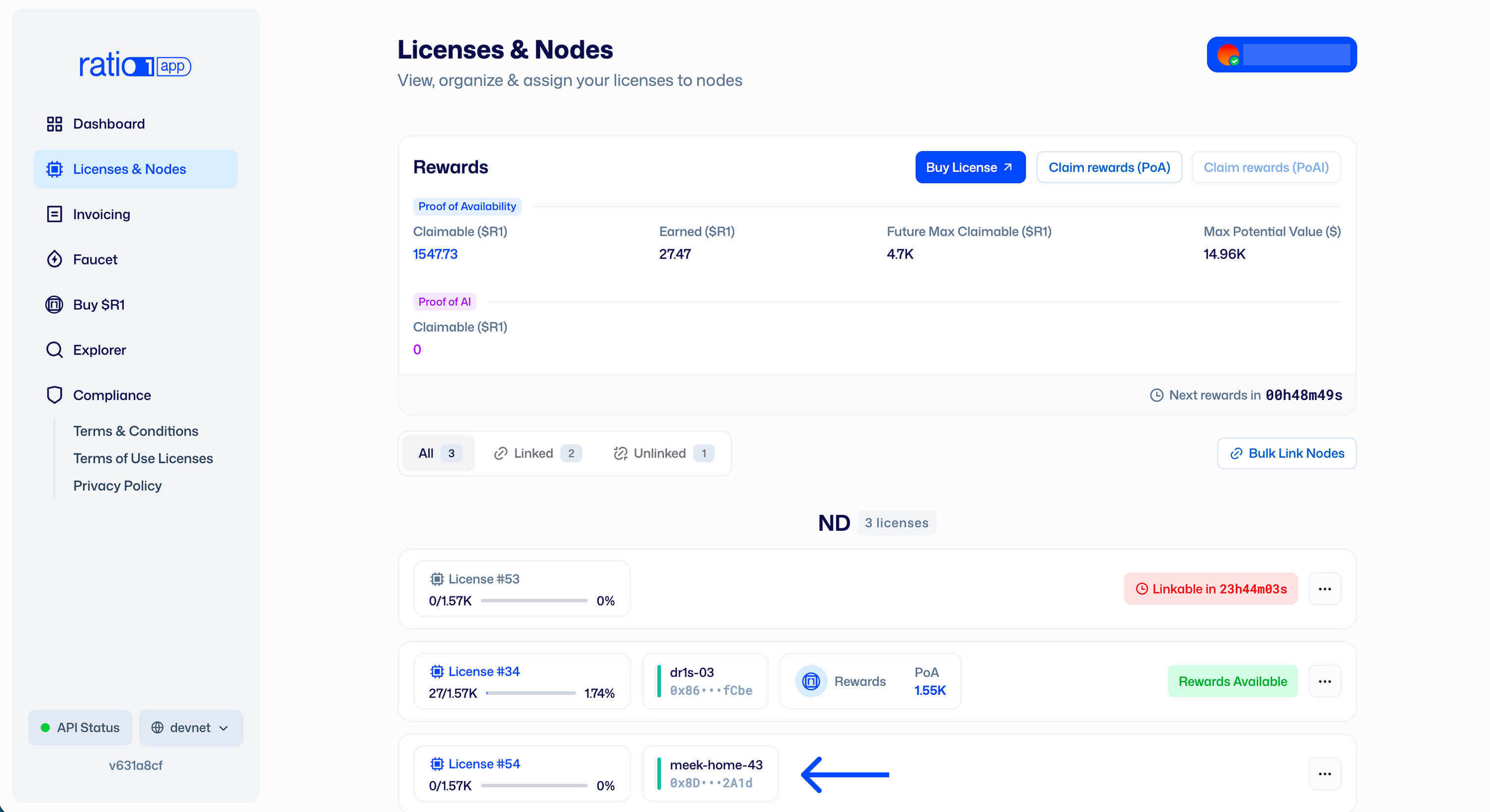
Unlink your node from your license
- Open the license menu and select Unlink.
- Confirm unlinking.
- Sign the transaction in your wallet.
After confirmation, the node is unlinked from that license.
Change node
- Open the license menu and select Change node.
- Fill in the new node ETH address.
- Confirm the change.
- Sign the transaction in your wallet.
After confirmation, the license is linked to the new node.
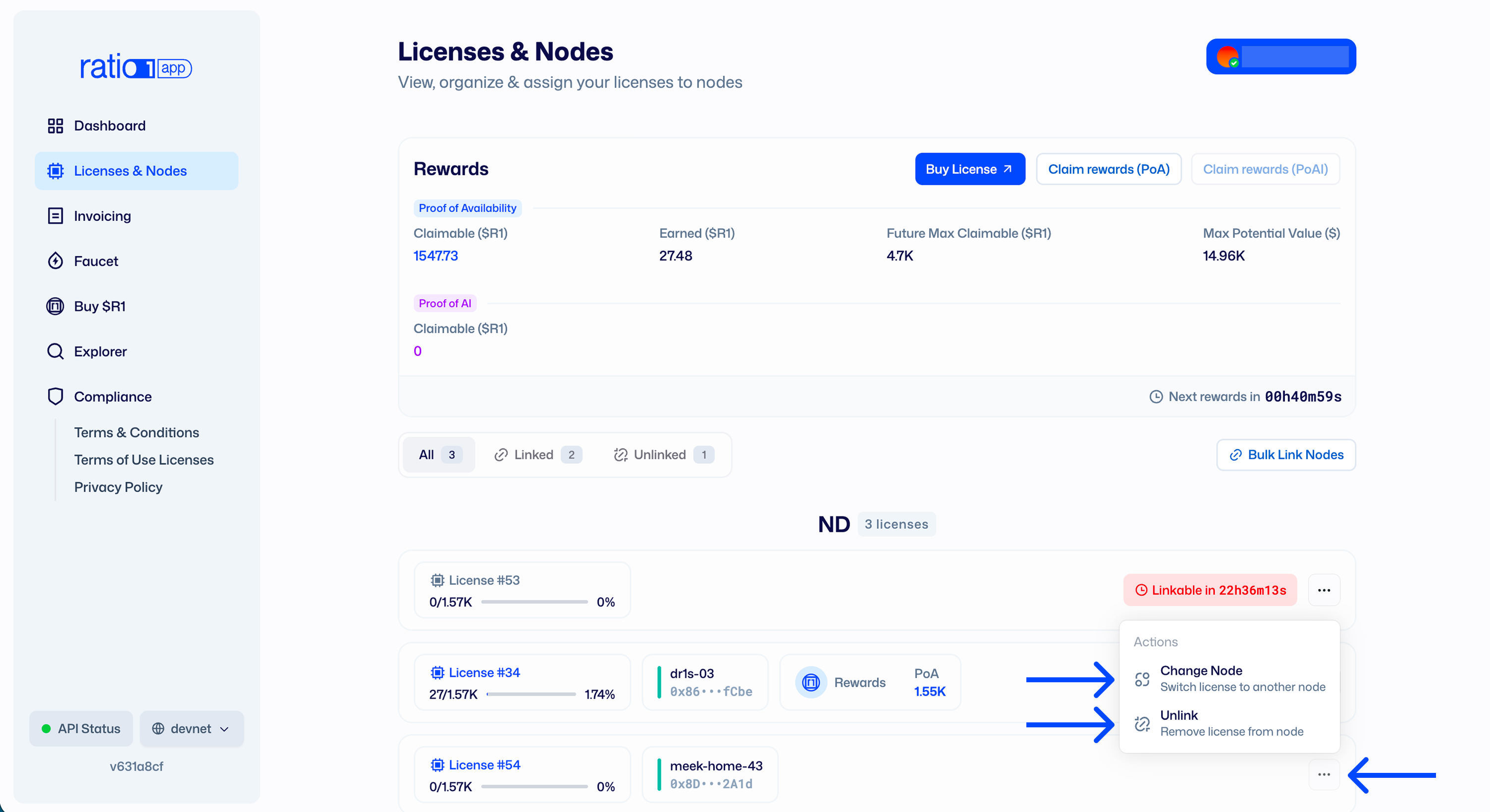
Cooldown after unlinking
Once a node is unlinked or chaned with another one, a 24-hour cooldown period applies before another node can be linked to that license.
Claim rewards first
Claim your rewards before you unlink or change a node.
Notable date
- Reviewed on February 18, 2026.